iTerm2 Won't Restore Your Tabs and Sessions After a Restart? Here's the Fix
You restart your Mac and iTerm2 comes back empty. No tabs, no split panes, no working directories. Here's what iTerm2 actually saves, why it sometimes gives up silently, and how to get a real project terminal back.
Four tabs open: a dev server, a log tail, the repo you were working in, an SSH session. You restart for an update, and iTerm2 comes back as one empty window sitting in your home directory.
Sometimes it restores perfectly. Sometimes it doesn't. That inconsistency is the actual complaint, and it has a specific cause worth understanding before you start changing settings.
Two features, and people mix them up
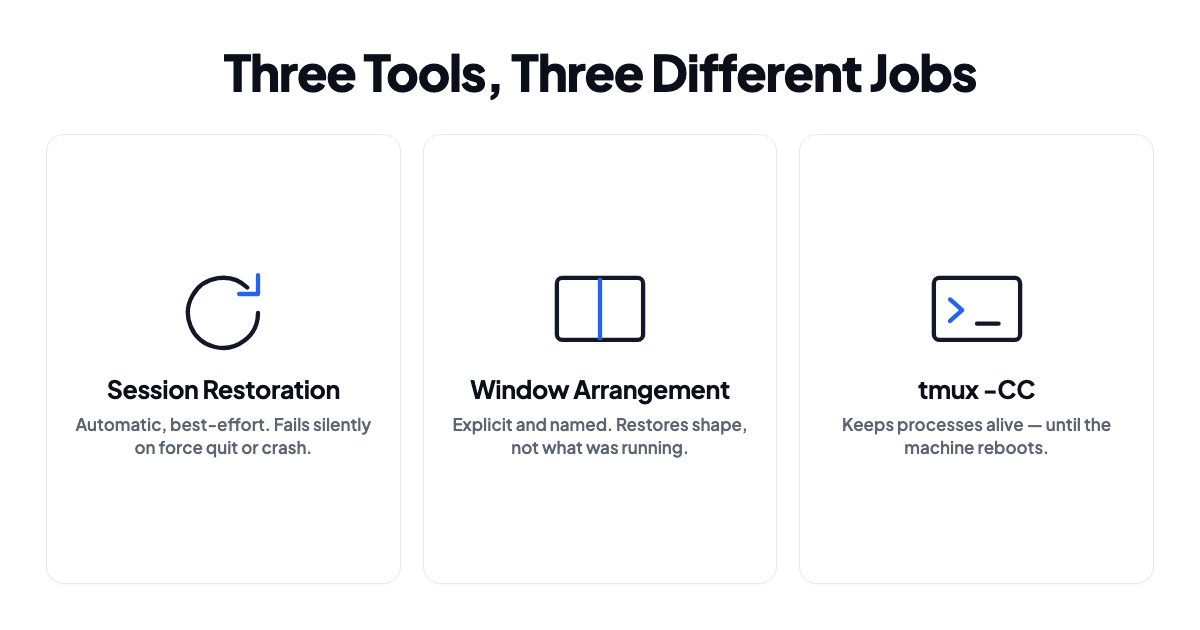
Session Restoration is the automatic one. When iTerm2 quits cleanly it writes out your windows, tabs and panes along with their scrollback, then reads it all back on next launch. This is what makes iTerm2 "just come back" most of the time.
Window Arrangements are manual. You lay out windows, tabs and split panes the way you want them, save the arrangement under a name, and restore it when you need it. A saved template, not a snapshot of what you were doing.
Session Restoration is the one that fails quietly. Arrangements are the one most people forget exists.
Check the setting that silently disables everything
Start on the macOS side, because iTerm2 defers to it.
Open System Settings → Desktop & Dock and make sure Close windows when quitting an application is off.
That toggle reads backwards from what it does. When it's on, apps throw away their window state at quit, which kills exactly the restoration you're trying to get. A surprising share of "iTerm2 stopped restoring my tabs" reports come down to this one checkbox.
Then in iTerm2 itself, under Settings → General → Startup, set Window restoration policy to Use System Window Restoration Setting. That's what people mean when they say "bring my tabs back."
Save an arrangement so you're not relying on luck
Session Restoration is best-effort. An arrangement is deterministic. That's the difference between hoping and knowing.
Open the windows, tabs and split panes you want as your standard layout, then Window → Save Window Arrangement and give it a name. Bring it back with Window → Restore Window Arrangement.
To load it automatically, mark one as default via Window → Set Default Arrangement, then enable Settings → General → Startup → Open default window arrangement.
An arrangement stores the shape: how many windows, how they're split, their sizes and positions, and each pane's starting directory and profile. It doesn't store what was running in them.
Pin working directories in your profiles
Half the irritation after a restart isn't the missing tabs. It's landing in ~ and having to cd back into three repos.
Settings → Profiles → General → Working Directory offers Home Directory (the default, and why you keep starting in ~), Reuse previous session's directory (useful for new tabs mid-session, useless after a reboot), and Directory, a fixed path. Only the last one survives a restart.
Make a profile per project with its directory pinned, then build your arrangement out of those profiles. Now a restored arrangement drops each pane into the right repo.
When you need the processes themselves to survive
Everything above restores an interface. For a long build, a training run, or a remote session, you need tmux, and iTerm2 supports it properly:
tmux -CC new -A -s work
The -CC flag turns on iTerm2's tmux integration, so tmux windows become native iTerm2 tabs and panes instead of a terminal inside a terminal. new -A -s work creates the session called work, or attaches if it already exists.
The useful property is that tmux sessions live in the tmux server rather than in iTerm2. Quit iTerm2, reopen it, run the same command, and your panes are still there with processes running.
The limitation is that this survives quitting iTerm2, not restarting the Mac. A reboot takes the tmux server with it. Run tmux on a remote host and rebooting your laptop genuinely stops mattering.
What none of it covers
| What you want back | Session Restoration | Window Arrangement | tmux |
|---|---|---|---|
| Tabs and split layout | Usually | Yes | Yes |
| Working directory per pane | Sometimes | Yes, if pinned in profile | Yes |
| Scrollback | Yes | No | Partly |
| Running processes | No | No | Yes, until reboot |
| Exported env vars per project | No | No | Only if set at creation |
| The rest of your project | No | No | No |
That last row is the one that gets me. Your terminal is one window in a setup that also has an editor open on the same repo, a browser on the right profile with the right tabs, maybe a database client and a Slack channel. iTerm2 can restore iTerm2. It has no idea any of the rest exists.
Per-project environment variables fall through the same gap. If work needs one AWS_PROFILE and API endpoint while your side project needs another, restoring tabs still leaves you exporting things by hand, or maintaining direnv rules and shell functions to do it for you.
One repo, one terminal layout? A pinned default arrangement with per-project profiles genuinely solves that, and I wouldn't add anything else.
Restoring the terminal as part of the project
ShiftPlus comes at this from the other end. Rather than asking your terminal to remember itself, it captures the whole working setup, apps and window positions and Spaces and browser profiles and the terminal, then rebuilds it on a hotkey.
For terminals that means a workspace can launch its terminal in the right project directory with the right environment variables already exported, next to the editor and browser profile belonging to the same project. No dotfile branching, no direnv rules, no remembering which AWS_PROFILE this repo wants. The workspace carries it. There's more detail on the credentials side in switching AWS profiles per workspace.
It won't keep processes alive across a reboot. Nothing local does, and that's what tmux on a remote host is for. What it removes is the ten minutes of rebuilding afterward.
Needs macOS 14.6 or later.
FAQ
Why does iTerm2 restore my tabs sometimes but not others?
Restoration needs a clean quit. A normal Cmd-Q or a graceful restart gives iTerm2 time to write its state. A force quit, a crash, a kernel panic, or a restart where macOS stops waiting for apps does not. If the failures look random, check whether they line up with unclean shutdowns.
Can iTerm2 restore what was running in each pane?
No. You get the pane and its scrollback text, not the process. A tail or a dev server is gone. You'll see the output it had already produced, then a fresh prompt. tmux is the only thing that keeps processes alive, and only until the machine reboots.
Does this apply to the built-in Terminal.app?
Partly. Terminal has Window Groups, which work roughly like iTerm2's arrangements, and it obeys the same macOS restoration setting. It has no tmux integration of the -CC kind, so that section doesn't transfer.
Will restoring an arrangement re-run my shell profile?
Yes. Each pane starts a fresh login shell, so .zshrc and .zprofile run normally. That's why pinning the working directory in the profile works, and why anything you exported by hand in the old session is gone.