How to Restore Chrome Tabs and Windows After a Mac Restart
Chrome tabs should reopen after a Mac restart when session restore is enabled. If they do not, use these recovery steps, then fix the multi-profile gap that Chrome cannot handle by itself.
Yes, Chrome can reopen your tabs after a Mac restart if Continue where you left off is enabled and Chrome saved the session cleanly. If the tabs are missing, press Cmd-Shift-T first, then check the startup setting in the affected profile.
The harder case is multiple profiles. Before the restart you may have had one Chrome window for work, personal, and each client. After it, Chrome opens only one profile.
Its tabs are usually fine. The other three profiles simply aren't running.
Nothing is broken here and nothing is lost. Chrome is doing what it was built to do. The design just doesn't cover this case, and understanding why saves you from chasing settings that can't help.
Quick fix: restore the missing Chrome session
- Open the Chrome profile that lost its tabs.
- Press Cmd-Shift-T repeatedly, or open History → Recently Closed and restore the window group.
- Open
chrome://settings/onStartupand enable Continue where you left off for that profile. - In System Settings → Desktop & Dock, turn off Close windows when quitting an application.
- Before the next restart, quit Chrome with Cmd-Q so it can write the session cleanly.
That restores tabs and windows inside a profile. It does not automatically launch every other Chrome profile or return each window to its old display and Space.
The seam nobody owns
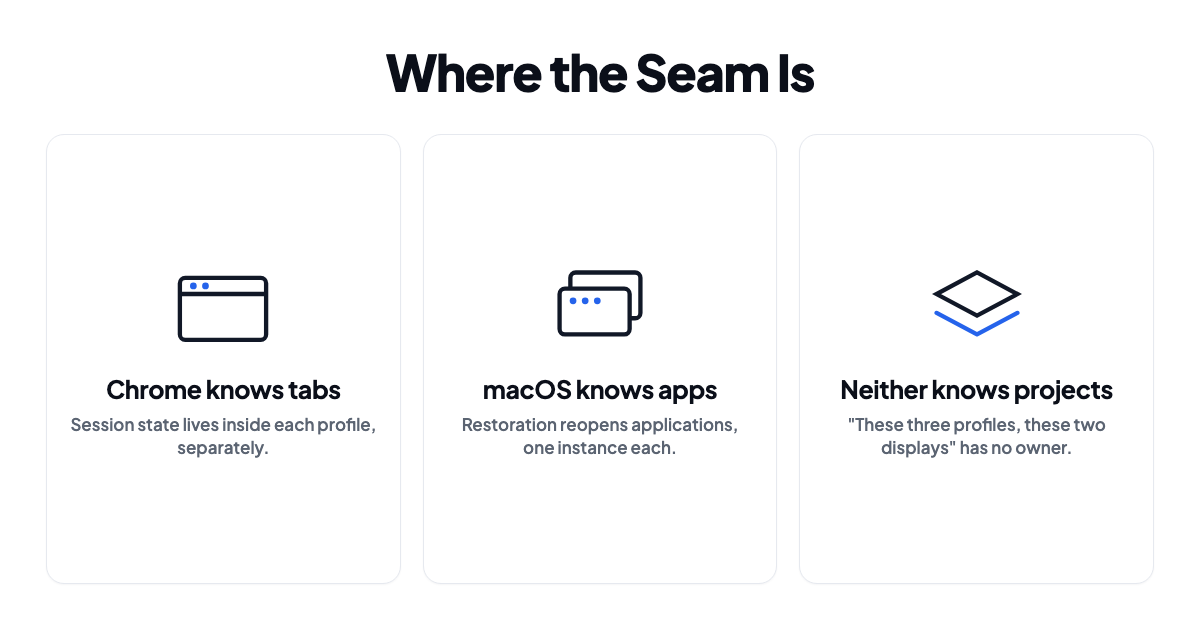
Chrome's session restore lives inside a profile. Each profile keeps its own history, its own session file, its own idea of where you left off.
macOS restoration works on applications. At login it relaunches Google Chrome. Chrome opens with your default profile, that profile restores its tabs, done. The other profiles are separate browser processes and nobody asked for them.
So both mechanisms are working correctly:
- Chrome restores the tabs of any profile that opens.
- macOS reopens the app, once.
- Nothing anywhere says "open these four specific profiles."
This is also why advice written for single-profile users reads as dismissive when you run several. "Just enable Continue where you left off" is correct, for a different problem.
Turn on session restore in every profile, not just one
The setting is per profile. Setting it in work does nothing for personal.
For each profile: switch to it, open chrome://settings/onStartup, and pick Continue where you left off.
Now, when a profile launches, it restores its own tabs. That conditional is the entire problem, and no setting inside Chrome touches it.
Rescue what you just lost
Do this immediately after the restart, before you browse anywhere else.
Press Cmd-Shift-T to reopen the most recently closed window or tab, and keep pressing to walk back further. Or open History → Recently Closed, which lists closed windows as groups rather than loose tabs.
Two catches. It only reaches into the current profile's history, so you need to be in the right profile first. And it decays fast, because once you've browsed for a while the windows you wanted are buried under everything since.
Check that macOS isn't discarding state
One setting quietly disables the whole thing. In System Settings → Desktop & Dock, turn Close windows when quitting an application off.
While it's on, macOS tells apps to throw away window state at quit. Combine that with a force quit, the one where Chrome asks whether it shut down correctly, and you get neither macOS restoration nor Chrome's own session restore.
Worth knowing: quitting Chrome with Cmd-Q before you restart writes the session cleanly and usually still restores. If Chrome was force-quit or crashed, take the Restore button on the crash prompt rather than dismissing it. That prompt is your one shot at the old session.
Opening the rest by hand
Open Chrome, click the profile avatar top-right, choose another profile. It opens a new window for that profile, which then restores its own tabs. Repeat. Then move each window to the display and Space where it belongs.
There's no honest way to dress that up. It's four to six actions every restart, plus the window placement, and you'll be doing it again next week.
You can script the launching part. open takes a profile directory:
open -na "Google Chrome" --args --profile-directory="Profile 2"
The directory names (Default, Profile 1, Profile 2 and so on) show up at chrome://version under Profile Path while you're in that profile. Wrap a few of these in a shell script and the launching is handled. The window placement isn't, and neither is which Space each one lands on.
What you're left with
| Restored automatically | |
|---|---|
| Default profile's tabs | Yes |
| Other profiles' tabs | Only if you launch the profile |
| Which profile goes on which display | No |
| Which Space each window belongs to | No |
| Window size and position | Rarely, and not across display changes |
The gap isn't in Chrome's session restore, which works fine. It's that nothing on the system holds the thought "my work setup is these three profiles, on these two monitors, on these Spaces." Chrome knows about tabs. macOS knows about apps. Your project isn't represented anywhere.
One profile? You're covered by the two settings above, and a shell script would be more machinery than the problem deserves.
Several profiles across multiple displays? You're rebuilding by hand every restart, and that's worth solving.
Getting every profile back in one action
ShiftPlus treats a browser profile as part of a workspace instead of as a browser setting. Capturing a workspace records which profiles were open, which URLs each had, and where each window sat, including display, size and Space. Restoring it opens each profile's window and puts it back.
It picks up Chromium-based profiles automatically, so Chrome, Edge, Brave, Arc and the rest show up by name rather than making you hunt for Profile 3 in a path. Each profile keeps its own cookies, extensions and logins, because this launches the real profile rather than faking it.
The related annoyance, links from Slack or Mail opening in whichever profile you touched last, comes from the same gap. That one's covered in opening links in a specific Chrome profile.
Needs macOS 14.6 or later.
FAQ
Why does Chrome only restore one window when I had several?
If those windows belonged to different profiles, only the launched profile restores. If they were all in the same profile and one came back, Chrome probably didn't quit cleanly. Check that Close windows when quitting an application is off in Desktop & Dock.
Does "Continue where you left off" restore windows or just tabs?
Tabs, grouped back into the windows they were in, for that profile. Window size and position aren't reliable, and it has no idea which display or Space a window was on.
Can I make Chrome open all my profiles at login?
Not from Chrome's settings. You can add several open -na "Google Chrome" --args --profile-directory="..." commands to a login script or an Automator action, which covers launching. Window placement stays manual.
Is there a way to see which profile directory is which?
Switch to the profile, open chrome://version, and read the Profile Path. The last part of it is what --profile-directory wants.
Does this apply to Safari, Edge, Arc, or Brave?
The Chromium ones behave identically, since session restore is per profile and macOS only relaunches the app. Safari works differently. It has profiles in recent versions and ties its window restoration more directly to macOS, so it tends to come back better, though it's just as unaware of which Space a window belonged to.