Stage Manager Keeps Losing Your Window Arrangement? What Actually Works
You group windows into a set, come back later, and the group has changed. Windows moved, resized, or ended up in another pile. Here's what Stage Manager actually remembers, and when to stop fighting it.
You put a browser, a notes app and a spreadsheet on screen together. Later you click that thumbnail in the strip and get the browser and the spreadsheet. The notes window is now grouped with something else. Or all three come back and one is half the width it was.
You didn't do anything wrong. Stage Manager doesn't have the feature you're assuming it has, and once you see why, most of the frustration makes sense.
Groups aren't things you own
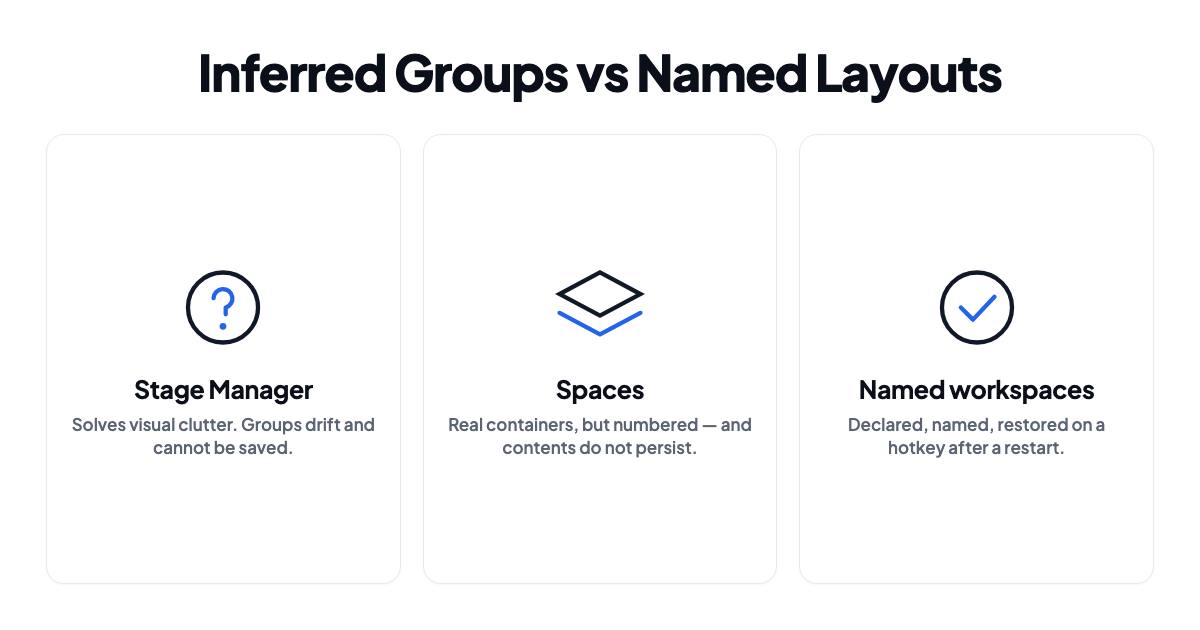
Stage Manager keeps a list of recent stages, meaning sets of windows that happened to be on screen together. That set is derived, not declared. Click an app in the Dock, drag a window in from the strip, open a new document, and macOS revises its idea of what belongs with what.
Which means there's no "save this group" command, because groups aren't objects. There's no name, so nothing to refer to, search for, or bind a hotkey to. Ordinary use rewrites them: drag one window out and what comes back next time has a different shape. And the strip holds a limited, recency-ordered set, so older stages fall off the end.
Compare that with Spaces, where a desktop is a real container you deliberately put windows into. Stage Manager is closer to a smart recent-items list than to a workspace system.
Build groups the way it expects
You get noticeably more stable groups by adding windows the way Stage Manager wants rather than the way you'd fill a Space.
Drag a window's thumbnail from the left strip onto the main area, or Shift-click it in the strip. To take one out, drag it back into the strip.
What you want to avoid is clicking an app in the Dock to bring it in. That often replaces the current stage instead of joining it, and it's the single most common way people lose a group.
Turn off the settings that cause drift
In System Settings → Desktop & Dock → Stage Manager, open the Customize control.
Show recent apps in Stage Manager hides the strip until you move the pointer to the edge when it's off. Fewer accidental clicks reshuffling your groups, at the cost of some discoverability.
Show windows from an application matters more. All at Once keeps every window of an app together on the stage, which is usually what you want for a browser or an editor. One at a Time is behind a lot of "half my windows disappeared."
Then check Click wallpaper to reveal desktop and set it to Only in Stage Manager or Never. On the aggressive setting, one stray click on the wallpaper sweeps everything aside, and it reads exactly like your group vanished.
Why nothing survives a restart
Window size and position are stored per window by each app, through macOS window restoration. That machinery is unreliable on its own, and we went through its failure modes in why your Mac doesn't remember window positions. Stage Manager sits on top of it and inherits every one of them.
Display changes make it worse. Connect or disconnect a monitor and macOS re-places every window onto whatever screens remain. Groups get re-derived afterward, and what comes back is often not what you had.
On top of that the stage list is recency-based. Right after a restart, with barely any recent activity to work from, there's very little for macOS to reconstruct groups out of.
My honest read
Stage Manager solves visual clutter. It shows one working set and hides everything else, and it does that well. On a 13-inch MacBook with no external display it's genuinely good.
It does not solve context restoration. Nothing named to save, no way to summon a specific arrangement, no persistence guarantee across restarts or display changes. Those aren't features that might land in a future release. They follow directly from groups being inferred rather than declared.
So "give me my invoicing setup back" isn't a setting you've missed. The concept isn't there.
If you've been fighting it for weeks, the fix is usually to turn it off with Ctrl-Cmd-S and organize with Spaces instead. That's not giving up. It's picking the model that fits your setup. Running Stage Manager and Spaces together is where most of the pain comes from anyway, since they're two different ideas about the same screen and their interaction is inconsistent.
If you want to keep it for focus, keep it. Just don't expect it to hold your layouts.
Named layouts, for when you do need them
That's the part ShiftPlus handles. Arrange your windows once and capture it as a named workspace: which apps, which windows, what size, which display, which Space. Restoring rebuilds that arrangement on a hotkey.
The difference from Stage Manager is that you declared the group instead of macOS guessing it. It has a name. It doesn't drift when you open something unrelated. It survives a restart, because it's stored as a definition rather than reconstructed from recent activity. And it can hold parts of a working context that have nothing to do with window management, like which browser profile belongs to this project, or which directory and environment the terminal should start in.
You can keep using Stage Manager for focus while workspaces handle restoration. They're not after the same job.
Needs macOS 14.6 or later, plus Accessibility permission to position windows.
Three models side by side
| Stage Manager | Spaces | Named workspaces | |
|---|---|---|---|
| Groups are explicit | No, inferred | Yes | Yes |
| Can be named | No | No, numbered | Yes |
| Restore on demand | No | Switch to it | Hotkey |
| Survives restart | Unreliable | Desktops persist, contents don't | Yes |
| Survives display change | Poorly | Poorly | Rebuilt on restore |
| Covers browser profile and terminal state | No | No | Yes |
FAQ
Can I save a Stage Manager group?
No. Groups have no identity, so there's nothing to save or name. That's a design property rather than a setting you've overlooked.
Why do my windows keep leaving the group?
Usually because they were brought in by clicking the app in the Dock, which tends to replace the stage rather than join it. Drag from the left strip instead. The other common cause is having windows from an application set to One at a Time.
Does Stage Manager work with multiple displays?
It does, and you can enable it per display, but this is where it's least predictable. Groups get re-derived when the display set changes, so regular docking and undocking scrambles them.
Does it replace Spaces?
No, they coexist, and each Space keeps its own Stage Manager state. In practice running both is more confusing than useful, and most people settle on one.